
The standard API\’s are used here do the required magic. I have tried to breakdown the functionality of the calls.
Step 1 is done by the below command where the file is uploaded from local machine to azure blob

Step 2 is done by opening the IO stream from the Blob and reading it from the IO class

To test the job we create a sample csv file
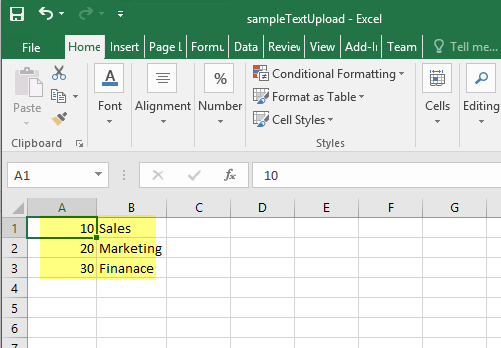
On running the job a file picker will be shown, where you can browse the file.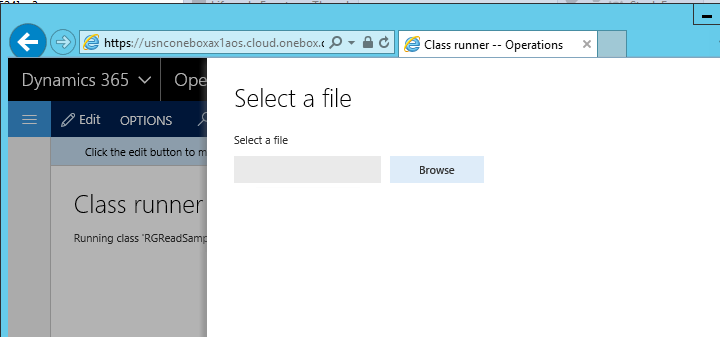
The progress of uploading it to cloud space is shown in the progress bar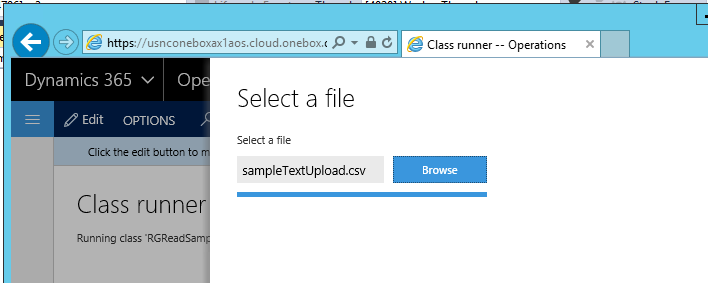
Infolog is shown with the data on the file 
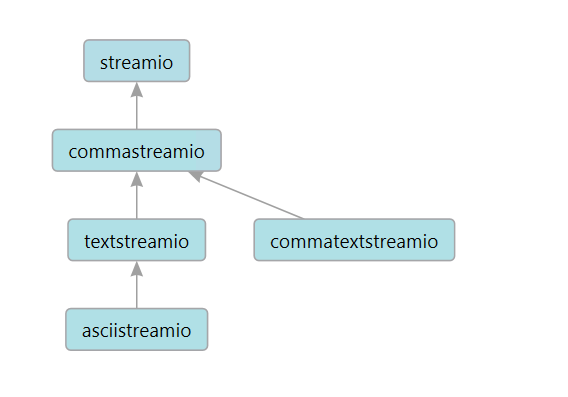
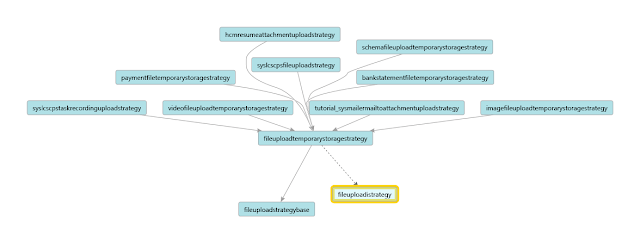
The file upload classes have different strategies and the below classes are available out of the box. For more information refer to nice articles mentioned in the references:
To quickly reuse the code here it goes
class RGReadSample
{
///
///
/// The specified arguments.
public static void main(Args _args)
{
AsciiStreamIo file;
Array fileLines;
FileUploadTemporaryStorageResult fileUpload;
fileUpload = File::GetFileFromUser() as FileUploadTemporaryStorageResult;
file = AsciiStreamIo::constructForRead(fileUpload.openResult());
if (file)
{
if (file.status())
{
throw error(\”@SYS52680\”);
}
file.inFieldDelimiter(\’,\’);
file.inRecordDelimiter(\’\\r\\n\’);
}
container record;
while (!file.status())
{
record = file.read();
if (conLen(record))
{
info(strFmt(\”%1 – %2\”,conPeek(record,1),conPeek(record,2)));
}
}
info(\”done\”);
}
}
Feel free to comment on any feedback/suggestions in case I have missed any important part of this framework but this code works nicely on reading csv files. Thanks for reading the blog and have a great day.
More references:
https://ax.help.dynamics.com/en/wiki/file-upload-control/
http://dev.goshoom.net/en/2016/03/file-upload-and-download-in-ax-7/

 Brewing thought

Leave a reply to Anonymous Cancel reply