Microsoft has recently released version 10.0.47 for Dynamics 365 Finance and Operations, bringing a long-awaited feature to the Expense Management module: Financial Tags.
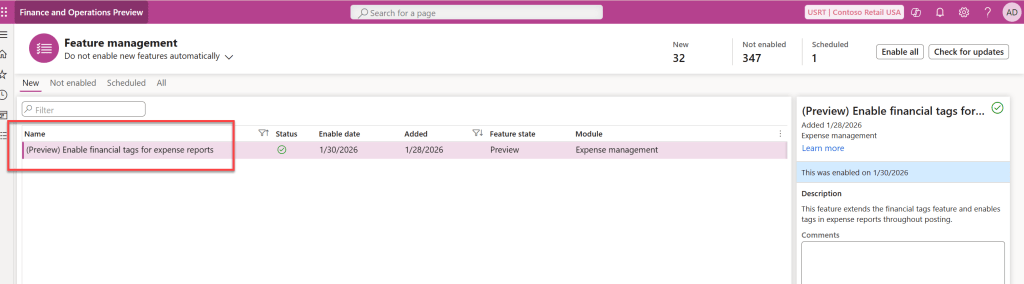
While currently in preview, this enhancement addresses a major request from organizations looking for more flexibility in classifying and reporting on expense transactions without overcomplicating their Chart of Accounts.
Why Financial Tags for Expense Management?
Financial tags provide a lightweight way to track specific data on transactions. For many businesses, the ability to tag expenses with project codes, event names, or specific internal identifiers is critical for accurate reporting and analysis
How to Enable and Configure Financial Tags
To start using this feature, you must ensure the visibility is configured correctly within the Expense Management module. Follow these steps to set it up:
1. Configure Field Visibility
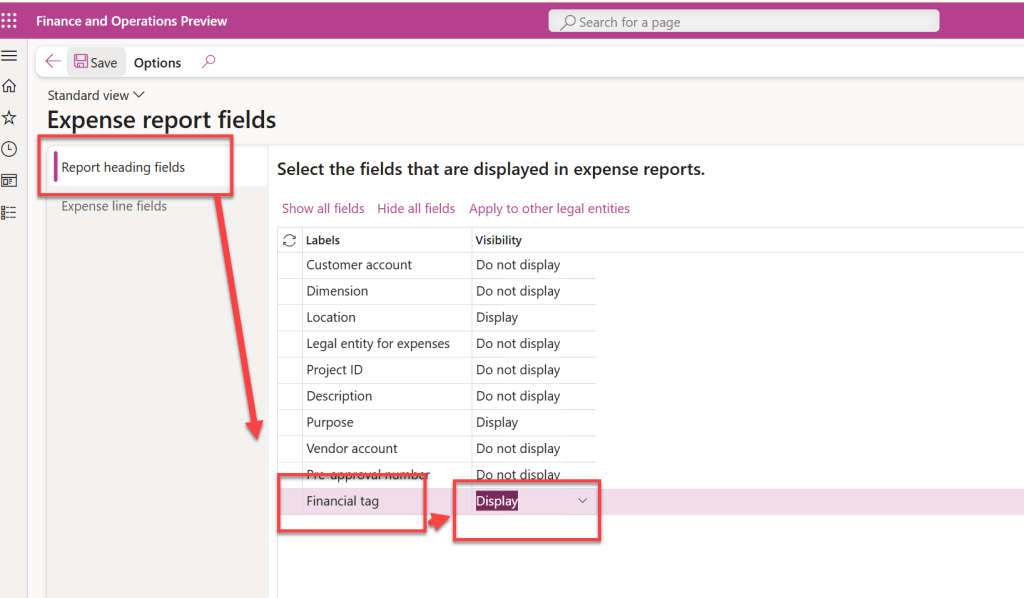
Navigate to Expense management > Setup > Expense report fields. From here, you need to manage two specific areas:
- Report Heading Fields: Select the financial tags you want to appear at the header level.
- Expense Line Fields: Select the tags for individual line items.
- Action: Ensure the visibility is set to “Display”
2. Workspace Integration
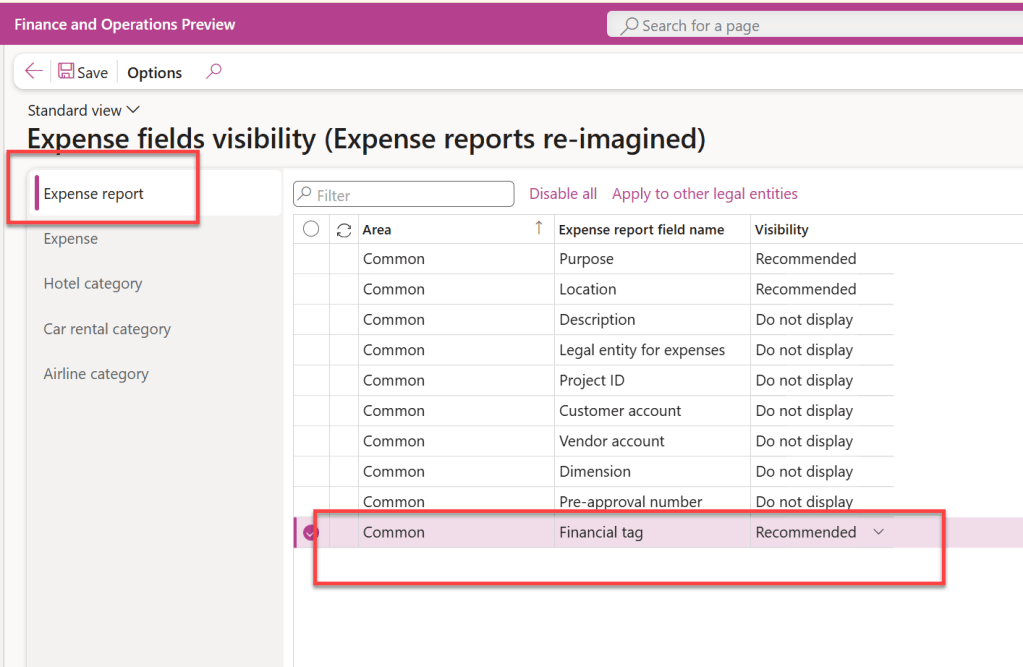
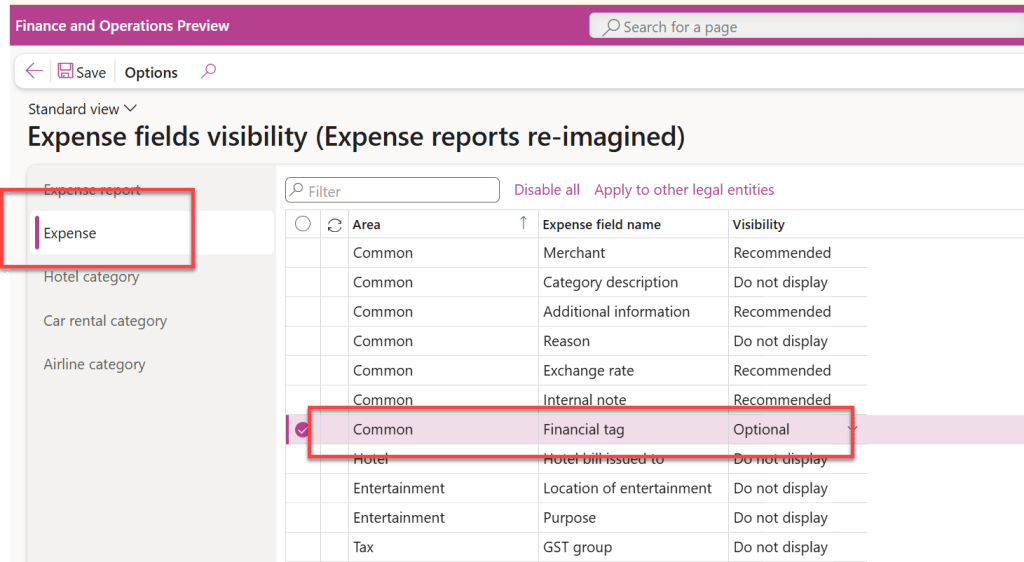
If you want these tags to be accessible within the Expense Management Workspace, you must perform a similar setup:
- Navigate to the setup options specifically for the workspace.
- Under the expense report and expense fields, select the financial tag as “Recommended”
Key Benefits
- Improved Classification: Easily categorize expenses beyond standard dimensions
- Enhanced Reporting: Leverage these tags for more granular analysis of organization-wide spending.
- User Flexibility: Tags can be applied at both the header and the individual line levels of an expense report
Conclusion
The introduction of financial tags in version 10.0.47 is a welcome update that simplifies how organizations track and analyze expense data. As it moves from preview to general availability in upcoming versions, now is the perfect time to explore how these tags can streamline your financial reporting
 Brewing thought
Leave a comment