One of the biggest challenges with AI tools is knowing what to ask. The new Copilot Zero Prompt experience in Dynamics 365 Finance & Operations (F&O) addresses this problem directly.
Instead of starting with an empty chat box, Copilot now opens with ready-to-use suggestions in the side-car. These suggestions guide users toward meaningful actions immediately, without needing to think about prompts or AI wording.
This might sound like a small change, but in practice it makes Copilot far more practical for everyday ERP users.
What Is the Zero Prompt Experience?
The Zero Prompt experience means Copilot starts the conversation for you.
When a user opens Copilot in F&O, they are presented with a small interactive panel (an Adaptive Card) that contains suggested questions or actions. The user can simply click one of them to begin.
There is no typing required, no guessing what Copilot can do, and no learning curve.
In simple terms:
- Copilot no longer waits for instructions
- It proactively suggests useful actions
- Users get value immediately
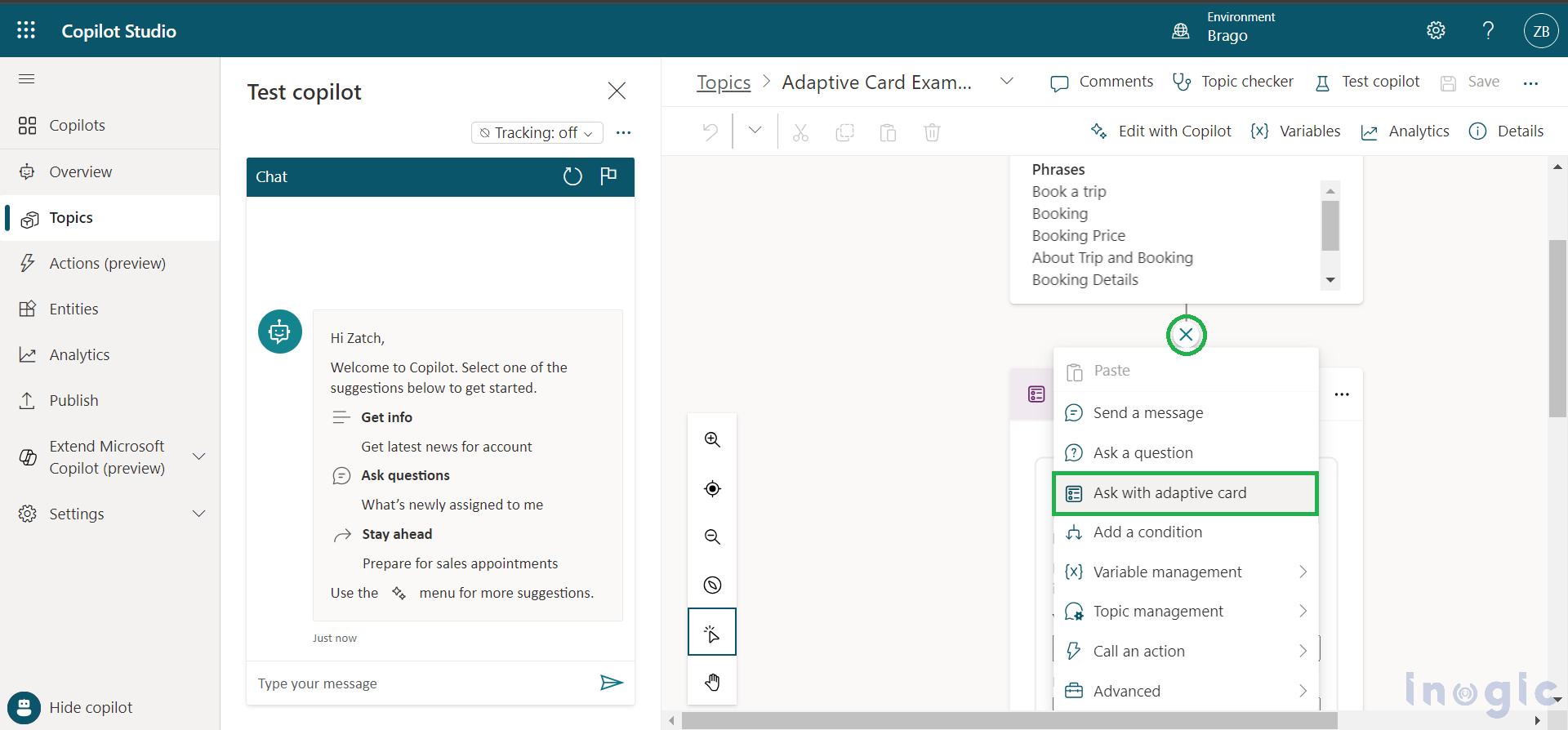
Why Adaptive Cards Are So Important
Adaptive Cards are what make this experience work well.
They allow Copilot to show structured, clickable options instead of plain text. This changes Copilot from “just a chat window” into a guided assistant.
Here’s why this matters:
Faster adoption
Many ERP users are not comfortable typing questions into AI tools. Buttons feel familiar and safe. Clicking a suggestion is easier than writing a prompt.
Consistent outcomes
When prompts are predefined, Copilot responses are more predictable and aligned with business processes. This avoids vague or irrelevant answers.
Context awareness
The suggestions can be different depending on where the user is in the system. A user on a Purchase Order page can see procurement-related options, while a finance user sees finance-focused ones.
Reduced training effort
Instead of training users on “how to talk to AI,” the system quietly teaches them by example.
What Happens When a User Clicks a Prompt?
Each option on the Adaptive Card can behave in one of two simple ways:
- It can fill the Copilot chat box with a suggested question, allowing the user to edit it before sending
- Or it can send the question directly to Copilot and return an answer immediately
This gives flexibility. Some users like to review a question before sending it. Others just want quick answers.
Both experiences are supported.
Simple, Real-World Examples
To make this concrete, here are some realistic examples of how Zero Prompt can be used in F&O.
Finance user
When opening Copilot from a finance workspace:
- “Summarise overdue customer invoices”
- “Explain why expenses are higher this month”
- “Show top cost centres by variance”
Procurement user
From a purchase order or vendor screen:
- “Show open purchase orders over $50,000”
- “Summarise vendor delivery performance”
- “List POs pending approval”
Warehouse or operations user
From inventory or warehouse pages:
- “Show items with low stock”
- “Explain today’s failed warehouse work”
- “Summarise inbound deliveries for today”
The key point is that users don’t need to imagine these questions. Copilot suggests them.
Why This Matters for ERP Users
ERP systems are powerful but complex. Copilot Zero Prompt helps bridge that gap.
Instead of navigating multiple reports, forms, and filters, users can:
- Ask business questions in plain language
- Start with guided options
- Get answers faster with less effort
For organisations, this means:
- Better Copilot adoption
- Less reliance on power users
- Faster access to insights
- More consistent use of AI across teams
Why This Is a Big Step Forward for Copilot in F&O
This change shifts Copilot from being a “nice AI feature” to something that feels built into daily work.
By combining:
- Adaptive Cards
- Context-aware suggestions
- Zero typing to get started
Microsoft is making Copilot far more approachable for real ERP users, not just technical or curious ones.
It’s a small UX change with a big impact on usability.
Final Thoughts
The Copilot Zero Prompt experience shows a clear direction for AI in ERP:
less prompting, more guidance, and faster value.
If you are designing Copilot experiences, extensions, or AI-assisted processes in Dynamics 365 Finance & Operations, this feature is worth paying close attention to. It sets a strong pattern for how AI should feel inside business applications built on the Microsoft ecosystem.
If you’d like, I can also help you:
- Design Zero Prompt ideas for specific roles (finance, procurement, warehouse)
- Create sample Adaptive Card payloads
- Align this experience with Copilot Studio or custom F&O extensions
For deeper dive refer to below link
https://learn.microsoft.com/en-us/dynamics365/fin-ops-core/dev-itpro/copilot/copilot-zero-prompt
 Brewing thought
Leave a comment