Microsoft Copilot has multiple offerings and it can be confusing to decide which option is fit for you. In this blog post, I’ll talk about 2 flavors of Microsoft copilot for individual users – Copilot and Copilot Pro
First lets talk about a free version (* as of writing this blog) i.e. Copilot. It works with your personal Microsoft account and does NOT enables any embedded experience. It can be used on web or as a mobile app for basic conversational and content generation tasks with limits applicable per day. With your free Microsoft account, you can:
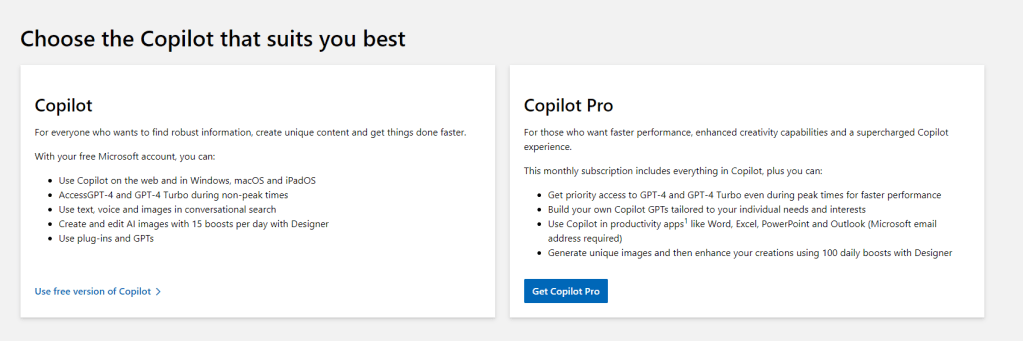
- Use Copilot on the web and in Windows, macOS and iPadOS
- AccessGPT-4 and GPT-4 Turbo during non-peak times
- Use text, voice and images in conversational search
- Create and edit AI images with 15 boosts per day with Designer
- Use plug-ins and GPTs
If used smartly, copilot free version is very powerful and can help you with a lot of content and image generation tasks.
Visit https://copilot.microsoft.com/ to try it out.
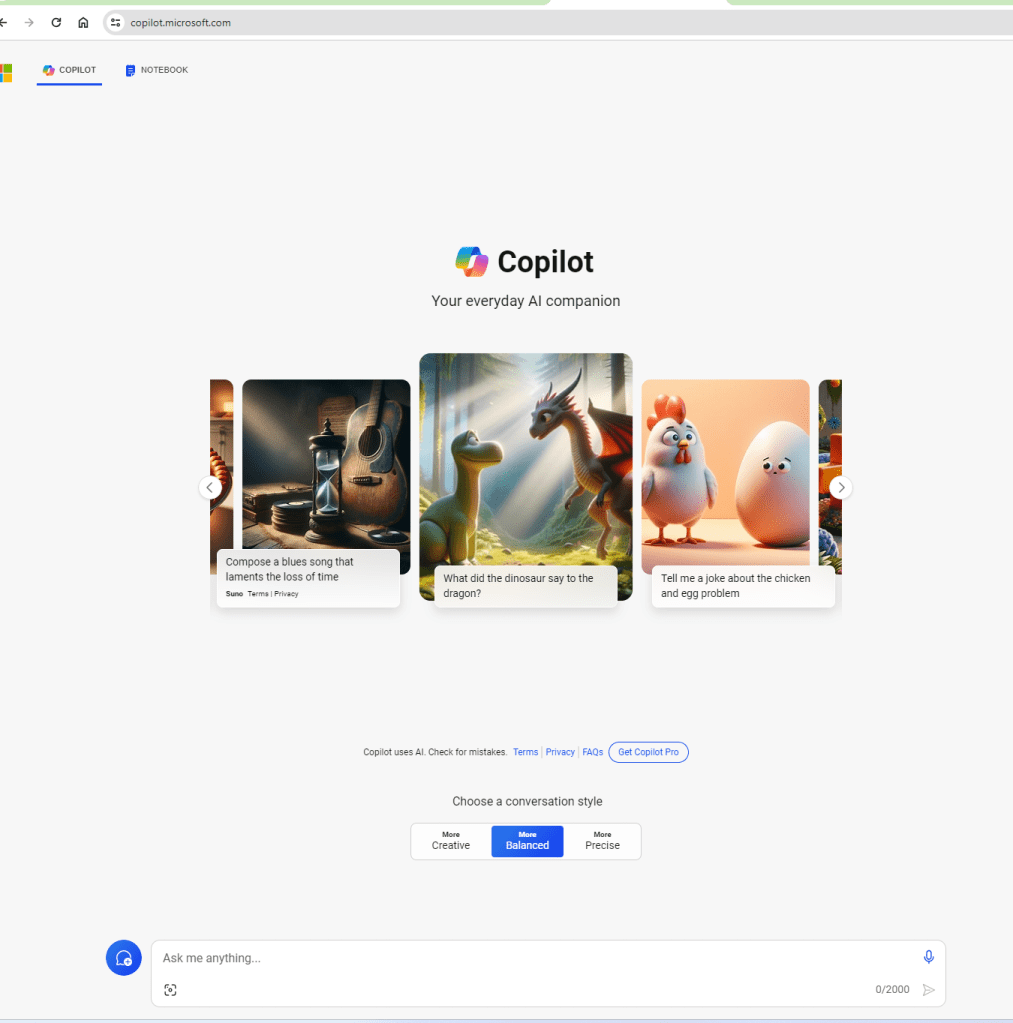

Image reference (https://www.techrepublic.com/article/copilot-microsoft-365-ai-mobile/)
Now let’s talk about – Copilot Pro . It is a subscription which will enable Copilot experiences INSIDE the office 365 apps like word, Powerpoint etc. As of writing this blog it is charged as AUD $33/month.
A subscription to Microsoft Copilot Pro will boost your creativity and productivity by offering accelerated performance, priority access to GPT 4 and GPT 4-Turbo, and faster AI image creation with Microsoft Designer.
With a Copilot Pro subscription you get access to Copilot in the Microsoft 365 web apps like Word or PowerPoint.
In addition, you can pair your Microsoft 365 Personal or Family subscription with Copilot Pro to unlock Copilot capabilities in your favorite Microsoft 365 desktop apps, including Word, Excel (Preview), PowerPoint, Outlook, and OneNote on Windows or Mac.

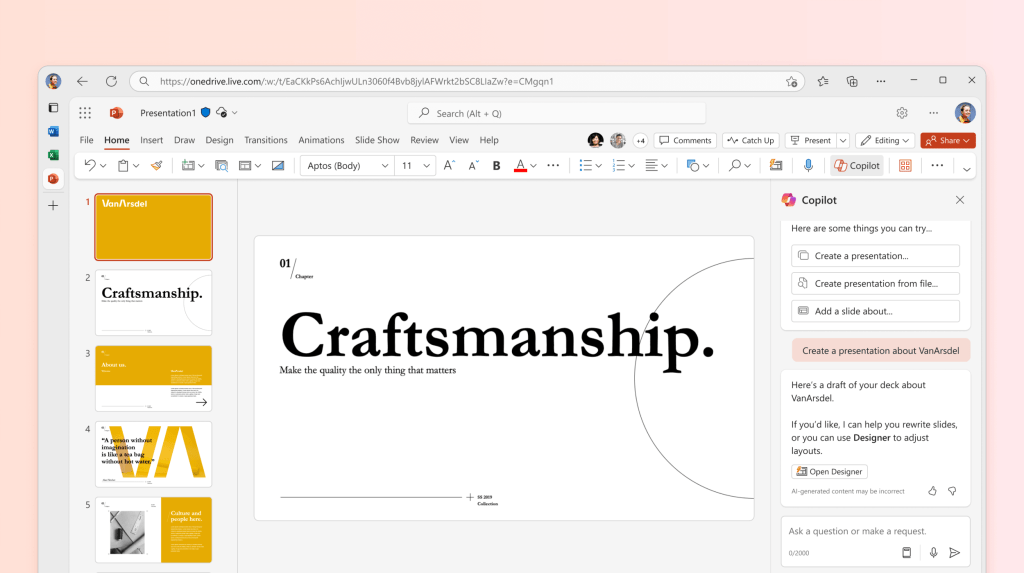
Copilot Pro monthly subscription includes everything in Copilot, plus you can:
- Get priority access to GPT-4 and GPT-4 Turbo even during peak times for faster performance
- Build your own Copilot GPTs tailored to your individual needs and interests
- Use Copilot in productivity apps like Word, Excel, PowerPoint and Outlook (Microsoft email address required)
- Generate unique images and then enhance your creations using 100 daily boosts with Designer
Below image summarizes the difference between Copilot and Copilot Pro. The same can be found at
https://www.microsoft.com/en-au/store/b/copilotpro?ocid=cmmuwqa9q4q&rtc=1
Also it is good to be aware below points (as of writing this blog i.e. March 2024) :
- Copilot features in Outlook apply to accounts with @outlook.com, @hotmail.com, @live.com or @msn.com email addresses and are available to Copilot Pro subscribers via Outlook.com, the new Outlook for Windows, Outlook for Mac. Any Microsoft account using an account from a third-party email provider, such as Gmail, Yahoo or iCloud, can still use Outlook, but won’t have access to the Copilot features.
- Copilot Pro is for one person. If you have a Microsoft 365 Family subscription and have shared your subscription with other people, each will need to buy their own Copilot Pro subscription to use Copilot in the Microsoft 365 apps.
- Copilot Pro will not unlock access to Copilot in Microsoft 365 apps if you have a Microsoft 365 Business subscription. For Business subscriptions, you will need to buy Copilot for Microsoft 365. This is a different offering for Microsoft 365 Business subscriptions. Topic for another blog.
For more details on FAQ and purchasing Copilot Pro visit below link
https://www.microsoft.com/en-au/store/b/copilotpro
There is also Copilot lab to get started with prompting
https://copilot.cloud.microsoft/en-US/prompts?ocid=copilot_akams_copilotlab
 Brewing thought
Leave a comment