In this blog post I will highlight key capabilities of Copilot in Field Service. Most of the capabilities are focused around improving the experience of field technicians and improving there productivity. Below are some of the copilot based capabilities in Dynamics 365 Field Service:
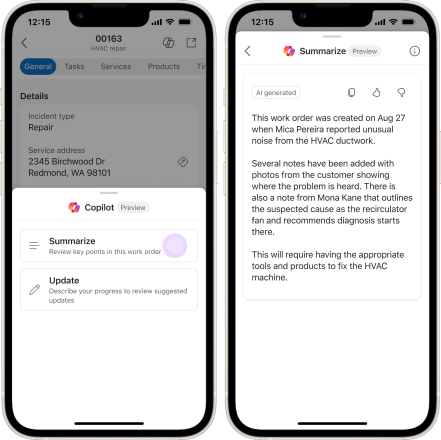
- Work order information : Frontline workers or field service technicians can look up information related to their work orders while doing their jobs with an intuitive natural language copilot experience within Microsoft Teams. Copilot can access the extensive data stored in the Microsoft Dataverse, including critical field service entities like work orders, and booking. This integration ensures technicians have the latest information readily available. For more details visit https://learn.microsoft.com/en-us/dynamics365/release-plan/2023wave2/service/dynamics365-field-service/knowledge-management-frontline-workers-using-ai
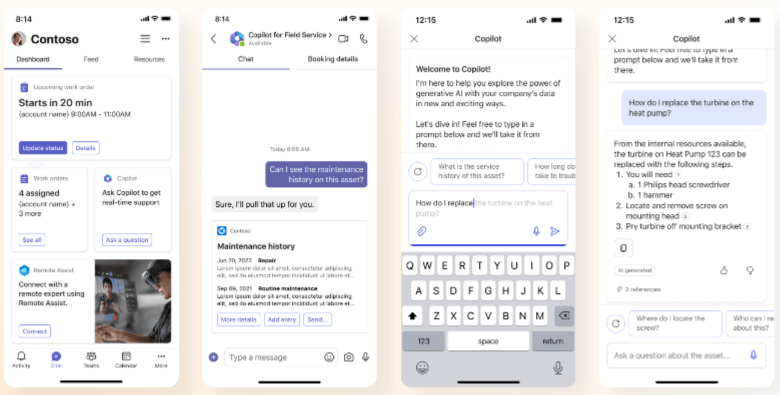
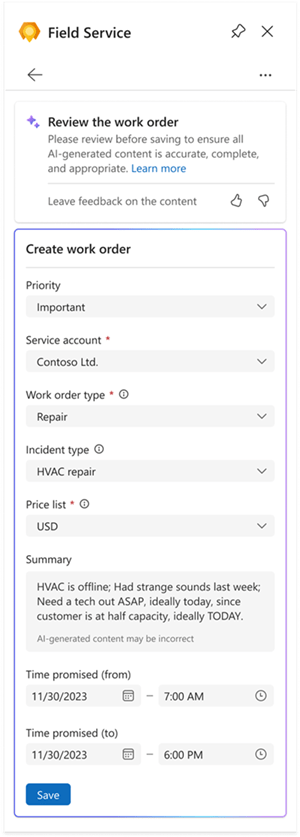
- Create Work order from Outlook using AI : With this feature, you can accelerate the work order creation with Copilot in Outlook. The AI-based copilot can assist with extracting relevant details from emails and filling in data to the work order form based on the text in the email thread. For more details visit https://learn.microsoft.com/en-us/dynamics365/release-plan/2023wave2/service/dynamics365-field-service/create-work-orders-outlook-using-ai
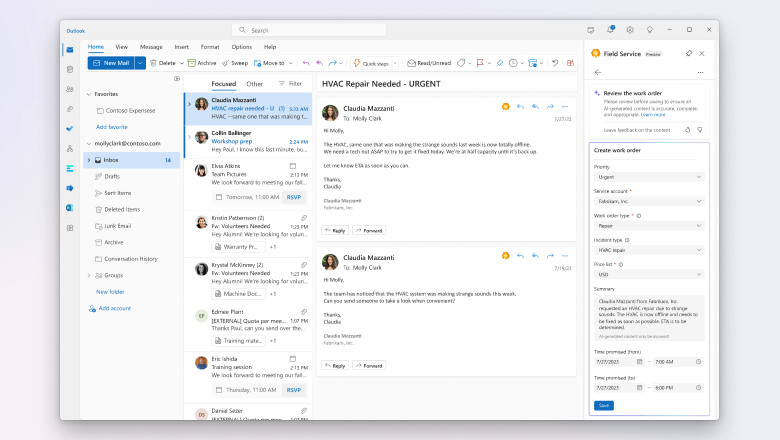
- Get scheduling recommendations in the Outlook add-in : The feature helps dispatchers schedule, reschedule, or move a booking for a work order. Scheduling suggestions are based on resource availability, skills, customer promised time windows, customer location proximity, and business unit. For more details visit https://learn.microsoft.com/en-us/dynamics365/release-plan/2023wave2/service/dynamics365-field-service/leverage-ai-resource-scheduling-outlook-teams
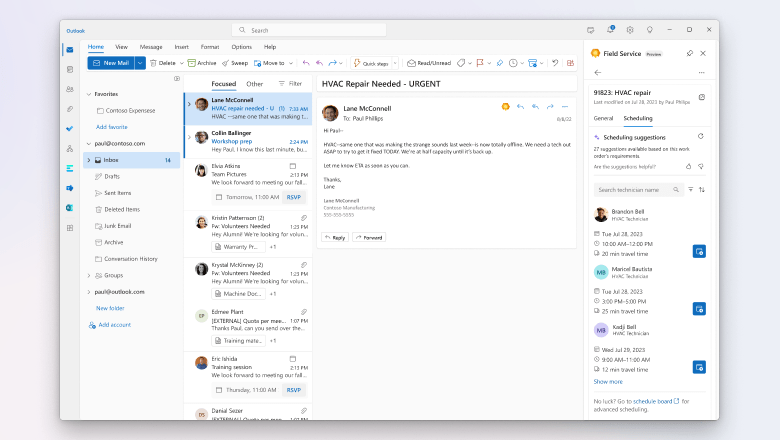
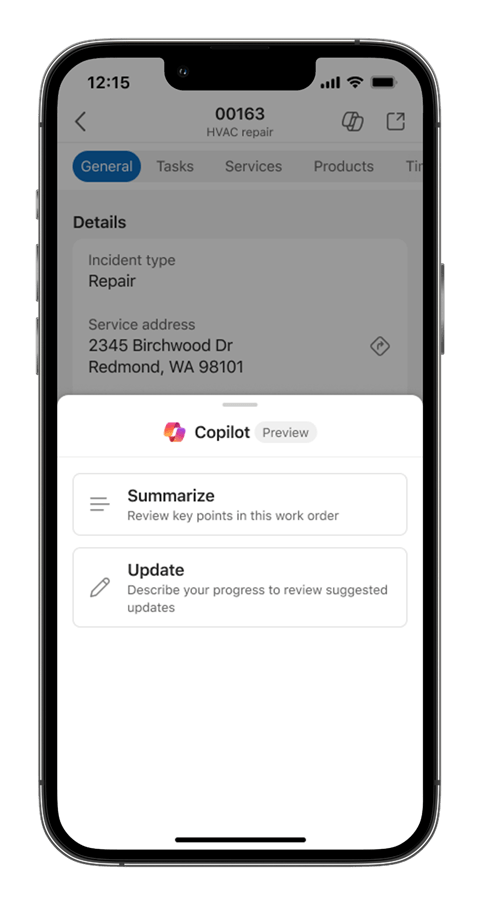
- Summarize work orders with Copilot in new mobile experience (Preview) : Copilot in Field Service provides technicians with a quick summary of their work orders with key details, so they don’t have to spend time finding that information across multiple forms and tabs. It reduces the number of interactions and time spent in the mobile app, which helps technicians be more productive. For more details visit https://learn.microsoft.com/en-us/dynamics365/release-plan/2023wave2/service/dynamics365-field-service/summarize-work-orders-copilot-new-mobile-experience
- Update work orders with Copilot in new mobile experience (Preview) With this feature, technicians get the ability to update various details regarding the booking and work order using a speech-first Copilot experience. When a technician narrates the work that they have performed. For more details visit https://learn.microsoft.com/en-us/dynamics365/release-plan/2023wave2/service/dynamics365-field-service/update-work-orders-copilot-new-mobile-experience
- Dynamics 365 Field Service Plugin for Microsoft Copilot (Preview) : With the Dynamics 365 Field Service Plugin for Microsoft Copilot, Dynamics 365 Field Service frontline managers and workers can access key work order information by asking Microsoft Copilot questions within Microsoft Teams. Users with a Microsoft 365 Copilot license can simply state in chat what they need using natural language to receive specific information related to their work orders in Field Service. For more details visit https://learn.microsoft.com/en-us/dynamics365/field-service/flw-m365-chat

There are few limitations at the moment like below:
- Only questions related to Field Service work orders are supported. Questions about information contained in documents, PDF files, or other sources other than the Field Service app aren’t supported.
- You can’t create, schedule, or close work orders.
- The feature supports structured data from the Field Service work order tables in Dataverse.
- AI-powered work order update (preview) technicians can update work orders in the new user experience of the Field Service mobile app. This AI-powered feature allows frontline workers describe work performed in natural language using standard text or speech-to-text capabilities. Based on their input, Copilot recommends updates to fields on the work order, and updates them after confirmation. For more details visit https://learn.microsoft.com/en-us/dynamics365/field-service/work-order-update#open-copilot-from-the-mobile-app
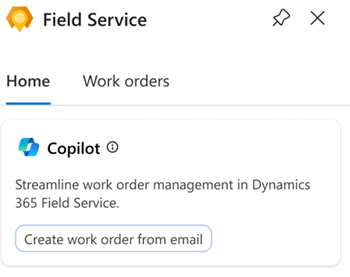
- Work order creation in outlook with Copilot : While you’re viewing an email, open the Field Service add-in. If the email was previously used to create a work order using Copilot, a message displays with a link to the work order. On the Home tab, select Create a work order from email.
Review the work order to ensure all AI-generated content is accurate.

For more details on this feature refer https://learn.microsoft.com/en-us/dynamics365/field-service/flw-outlook#create-a-work-order-with-copilot
There are more copilot based capabilities about to be released, do refer to Microsoft release planner as shown below https://releaseplans.microsoft.com/en-US/?app=Field+Service
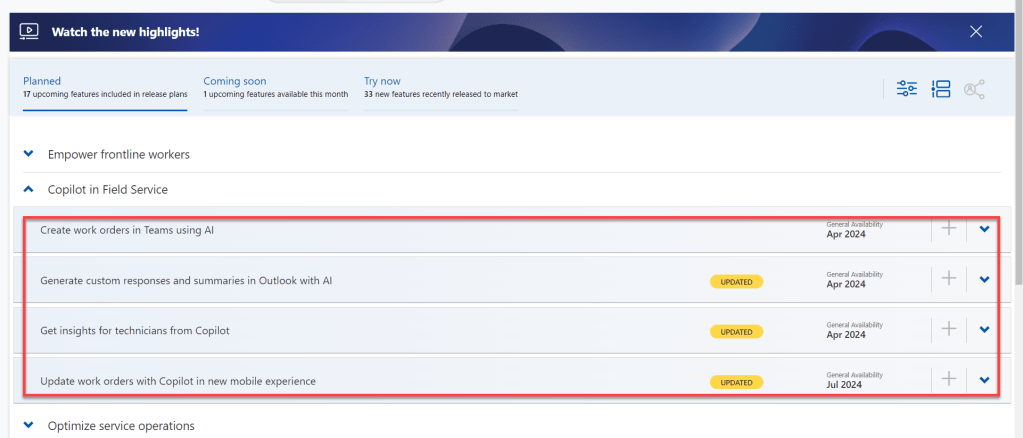
It is very important to understand Responsible AI with Field service . Do refer to below link for responsible AI overview in Field Service before enabling any features. https://learn.microsoft.com/en-us/dynamics365/field-service/responsible-ai-overview
 Brewing thought
Leave a comment