Microsoft recently announced at Build 2023 , a groundbreaking feature for Windows 11 that promises to revolutionize productivity—Copilot.
This AI-powered tool is designed to assist users in their daily tasks, providing intelligent suggestions, code snippets, and contextual information to enhance efficiency and streamline workflows. Let’s see how Windows 11 Copilot will change the way we work.

Intelligent Code Suggestions: One of the standout features of Windows 11 Copilot is its ability to offer intelligent code suggestions. Whether you’re a seasoned developer or someone exploring coding for the first time, Copilot can provide helpful code snippets, saving time and reducing the need to search for solutions elsewhere. It leverages machine learning to understand coding patterns and context, generating relevant suggestions that align with the user’s intent.
Streamlined Workflows: With Copilot, Windows 11 users can expect more streamlined workflows. By offering contextual information and suggestions based on the current task or application being used, Copilot reduces the need for manual searches or switching between multiple windows. It seamlessly integrates into the user’s workflow, enabling them to stay focused and accomplish tasks efficiently.
Enhanced Content Creation: Content creators will also benefit from Copilot’s assistance. Whether you’re writing emails, reports, or blog posts, Copilot can provide relevant suggestions, sentence completions, and grammar checks. This AI-powered tool helps users refine their writing, improve language fluency, and increase overall productivity.
Natural Language Understanding: Windows 11 Copilot leverages advanced natural language processing (NLP) capabilities to understand user queries and provide accurate suggestions. It can comprehend questions or requests phrased in a conversational manner, making it easier for users to interact with the AI assistant. This natural language understanding makes Copilot accessible to users of all skill levels, regardless of their technical background.
Security and Privacy: Microsoft prioritizes user security and privacy in Copilot. The AI assistant is designed to respect user boundaries, and all suggestions and code snippets are generated locally on the user’s device. Microsoft is committed to maintaining transparency and ensuring that user data is handled securely, empowering users to leverage Copilot with peace of mind.
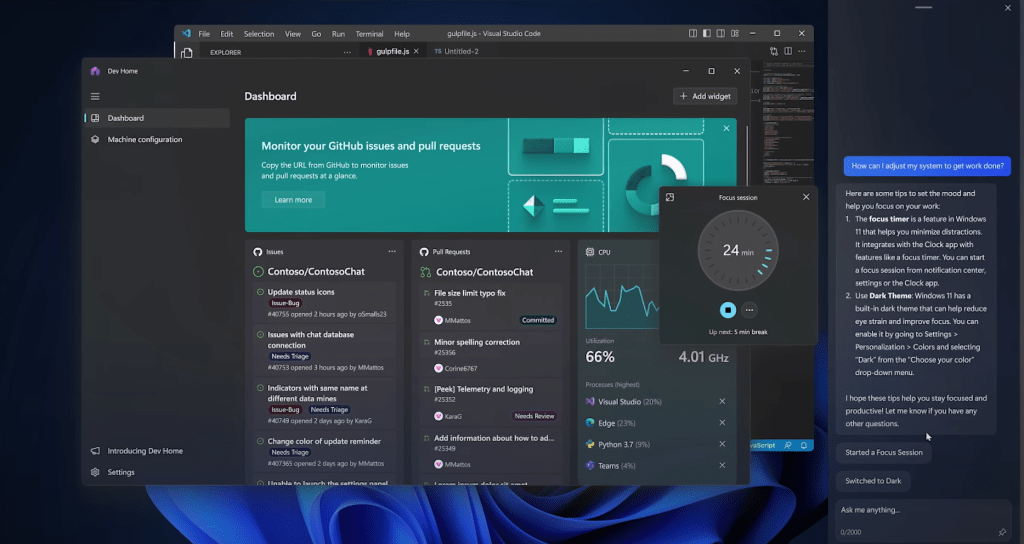
Windows 11 Copilot represents a significant step forward in AI-powered assistance, offering users an intelligent companion to boost productivity and streamline workflows.
Whether it’s providing code suggestions, enhancing content creation, or offering contextual information, Copilot leverages AI and natural language understanding to deliver valuable assistance.
With its integration into Windows 11, Copilot has the potential to become an invaluable tool for users across various domains, helping them achieve more in less time and unlocking new levels of efficiency.
Windows Copilot will start to become available in preview for Windows 11 in June. Read the announcement at below link and you can register for the preview.
 Brewing thought
Leave a comment