Recently I encountered an error message when trying to test the send email functionality after setting up the email parameters and using SMTP to send out test email “D365 F&O Server smtp.office365.com:587 using SSL/TLS supports the following authentication options: LOGIN, XOAUTH2.“
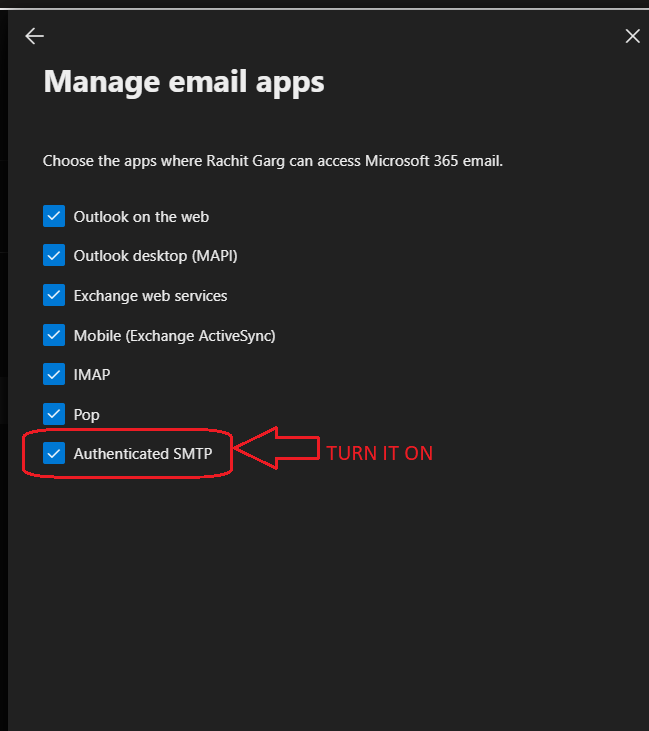
After some researching, I found the below setup was missing in Microsoft 365 Admin Center for the user. To fix this :
Navigate to Office 365 Admin Center >>Open list of users >> Select the user and click on the name

Click on Mail >> Go to Manage Email Apps

Make sure the check box is Turned ON. By default it is turned OFF.
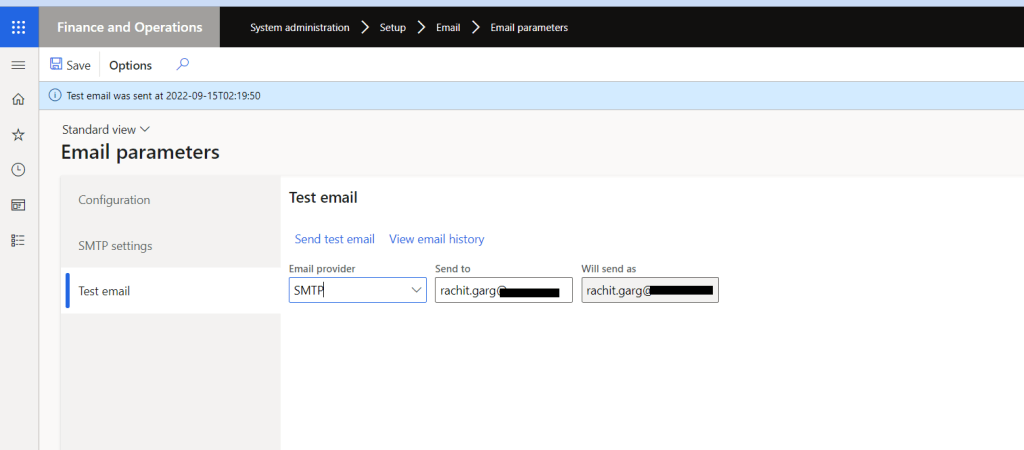
After this come back to Dynamics 365 F&O and send the test email
 Brewing thought
Leave a comment