In Dynamics 365 F&O service update 10.0.26, a new personalization feature is released which allows users to choose and select desired tile size for the workspaces. The feature can be enabled from Feature management workspace
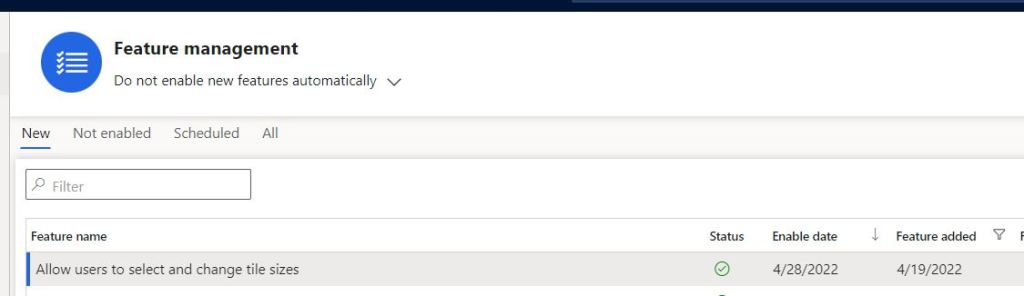
Details of the feature can be found at Microsoft docs
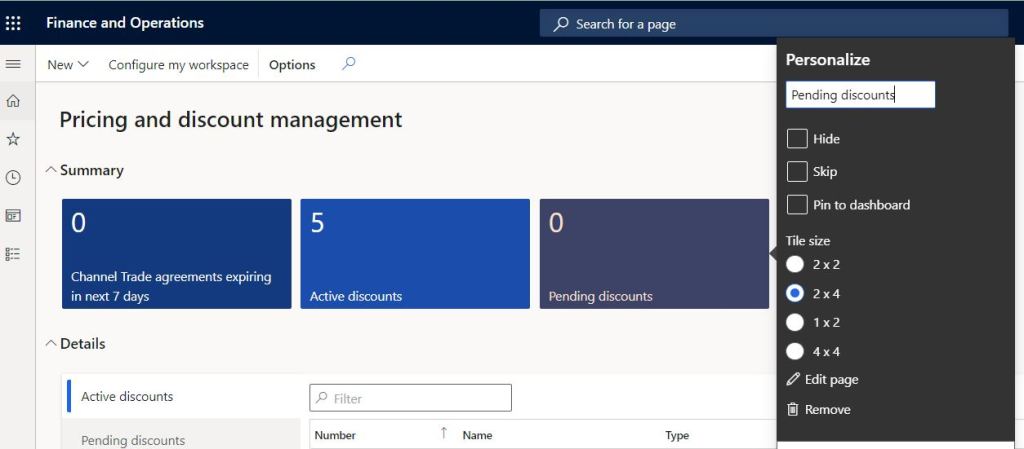
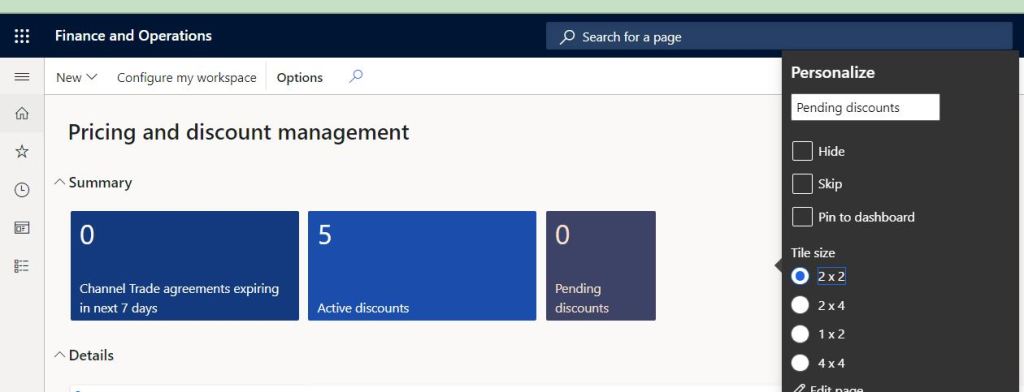
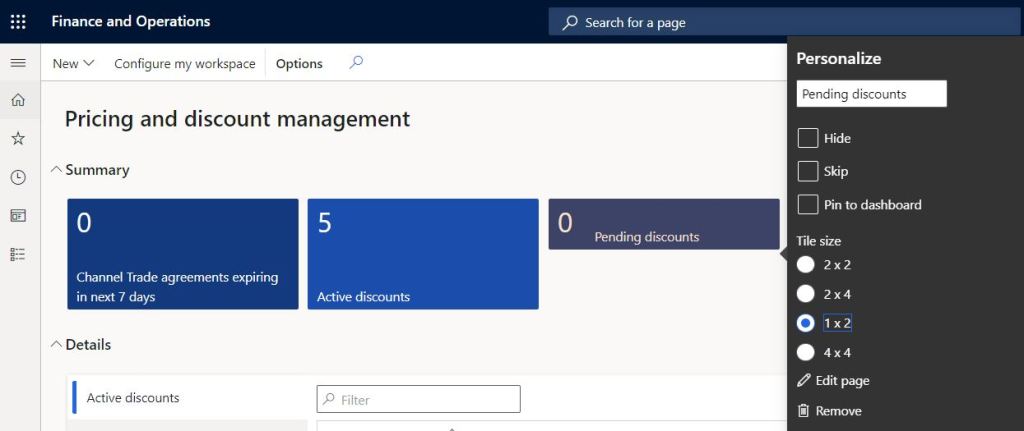
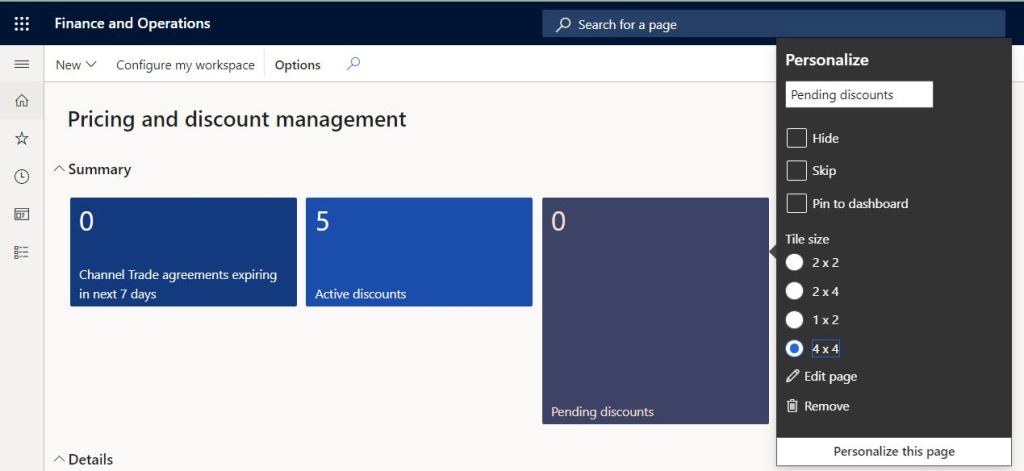
Once the feature is enabled, users can select the desired tile size when personalising a tile as shown below.
To bring the options, right click on the tile >> select Personalise >> Select tile size
Below is how different tile sizes look
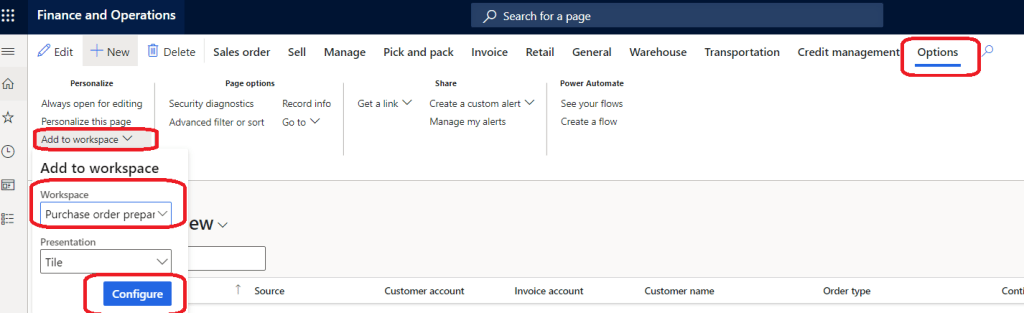
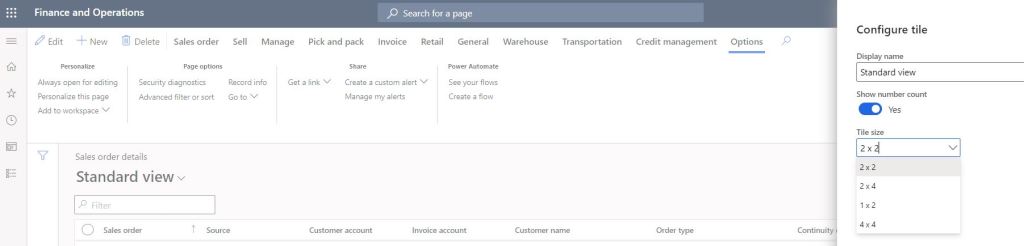
The same tile size options are available when users add a filtered list to workspaces via personalization.
Steps to do it are go to options pane >> Add to workspace >> Select workspace >> Select tile size as shown below
 Brewing thought
Leave a comment