Sometimes we have to rename AXDB in the SSMS on Tier 1 machines and we get error that the DB is locked by other processes.
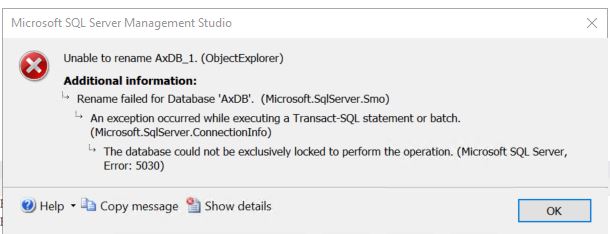
TITLE: Microsoft SQL Server Management Studio
------------------------------

Unable to rename AxDB_1. (ObjectExplorer)

------------------------------
ADDITIONAL INFORMATION:

Rename failed for Database 'AxDB'.  (Microsoft.SqlServer.Smo)

For help, click: https://go.microsoft.com/fwlink?ProdName=Microsoft+SQL+Server&ProdVer=16.100.41011.9+(SqlManagementObjects-master-APPLOCAL)&EvtSrc=Microsoft.SqlServer.Management.Smo.ExceptionTemplates.FailedOperationExceptionText&EvtID=Rename+Database&LinkId=20476

------------------------------

An exception occurred while executing a Transact-SQL statement or batch. (Microsoft.SqlServer.ConnectionInfo)

------------------------------

The database could not be exclusively locked to perform the operation. (Microsoft SQL Server, Error: 5030)

For help, click: http://go.microsoft.com/fwlink?ProdName=Microsoft%20SQL%20Server&ProdVer=13.00.5888&EvtSrc=MSSQLServer&EvtID=5030&LinkId=20476

------------------------------
BUTTONS:

OK
------------------------------
The below SQL Script comeshandy to rename AX databases . The below script will rename database from AXDB to AXDB_Orig
ALTER DATABASE AXDB SET SINGLE_USER WITH ROLLBACK IMMEDIATE
GO
ALTER DATABASE AXDB MODIFY NAME = AXDB_Orig
GO
ALTER DATABASE AXDB_Orig SET MULTI_USER
GO
Keep it handy 😉
 Brewing thought
Leave a comment