In continuation to my blog post series on pallet transports, this is the fourth post ,the previous posts can be found at these links (Part I, Part II and Part III ).
In this post I\’ll be talking about the setup required to create outbound pallet transport in Microsoft Dynamics AX2012 R2 CU7.
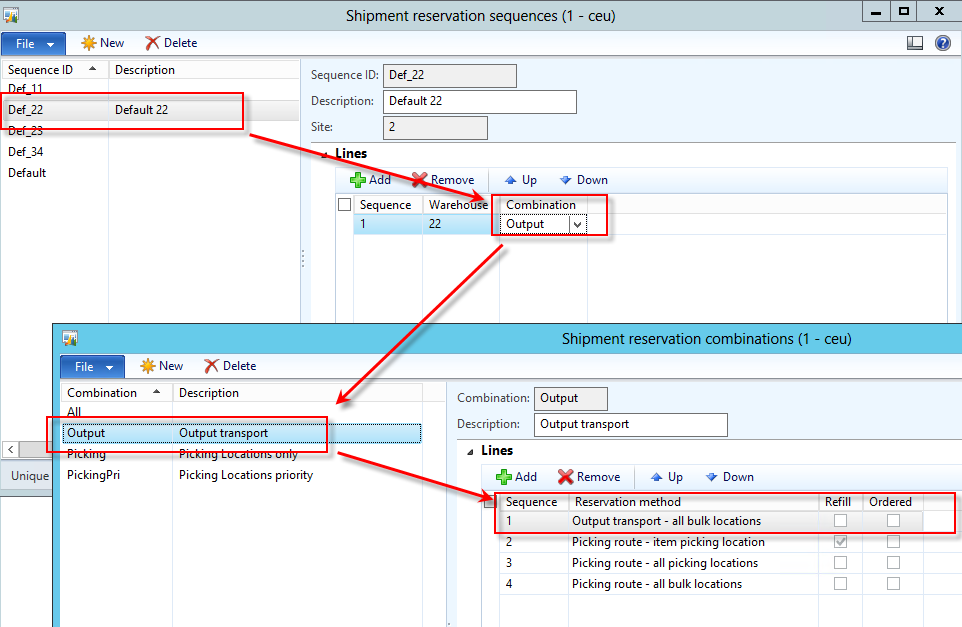
An outbound pallet transport is created during shipment reservation and is controlled by the shipment reservation combination for the method Output transport – all bulk locations.
As the name suggest, when goods are lying in bulk locations and shipment reservation combination is running the rule – \”output transport – all bulk location\”, outbound pallet transports are created. The rule means that if goods are lying in bulk locations then create the outbound pallet transport to move them to outbound dock. If there are no goods lying in bulk locations then system will try to reserve based on the rule with next priority and if there is no rule then reservation will fail.
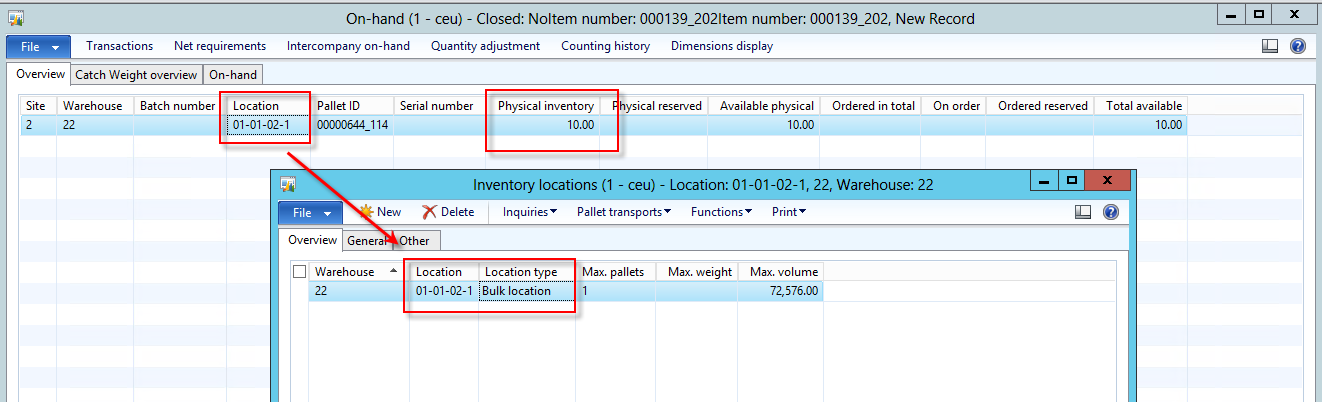
So let;s walk-through this in a standard AX2012 R2 CU7 environment, I have on hand of the item no \”000139_202\” in the bulk locations as shown below:
My shipment template is using shipment reservation sequence which uses a shipment reservation combination having Output transport – all bulk locations at highest priority configured in it;s line as shown below:
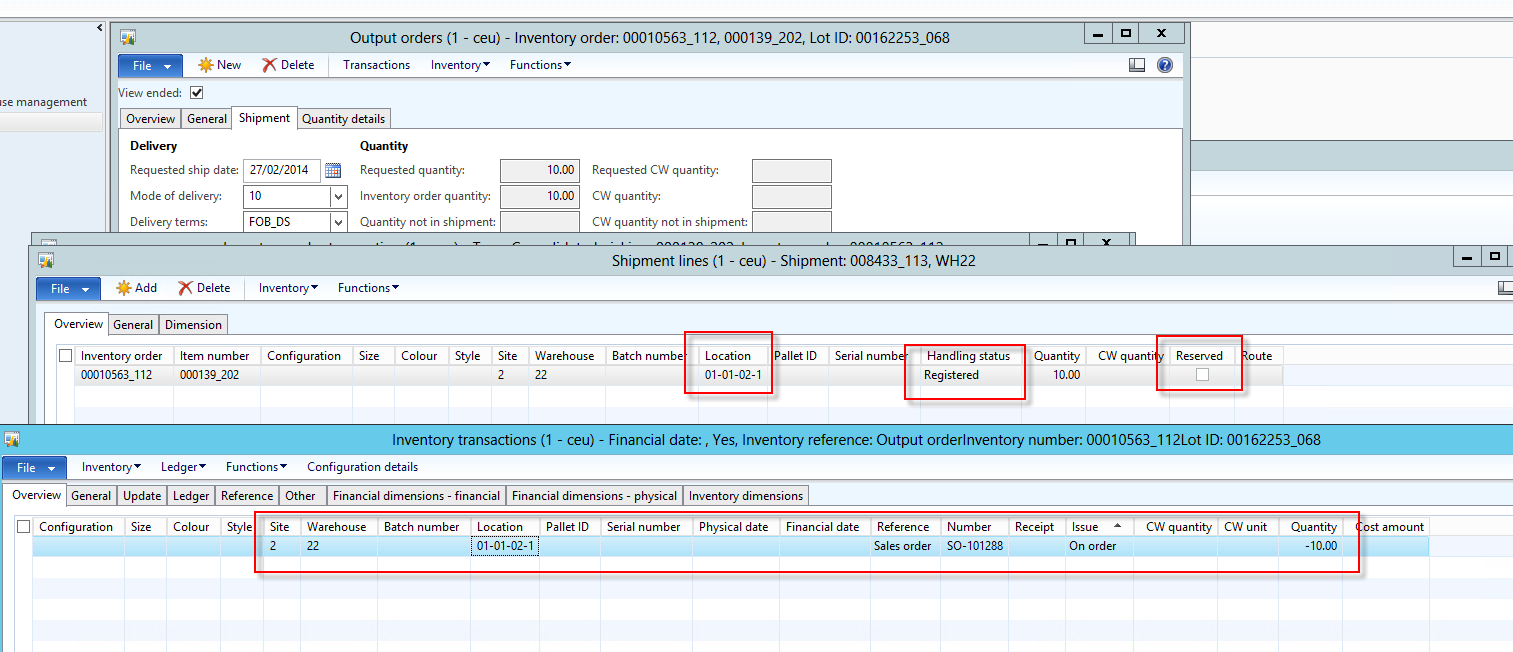
So now I create a sales order and then an output order which in turn create the shipment of the sales line.Notice the inventory transaction at this point
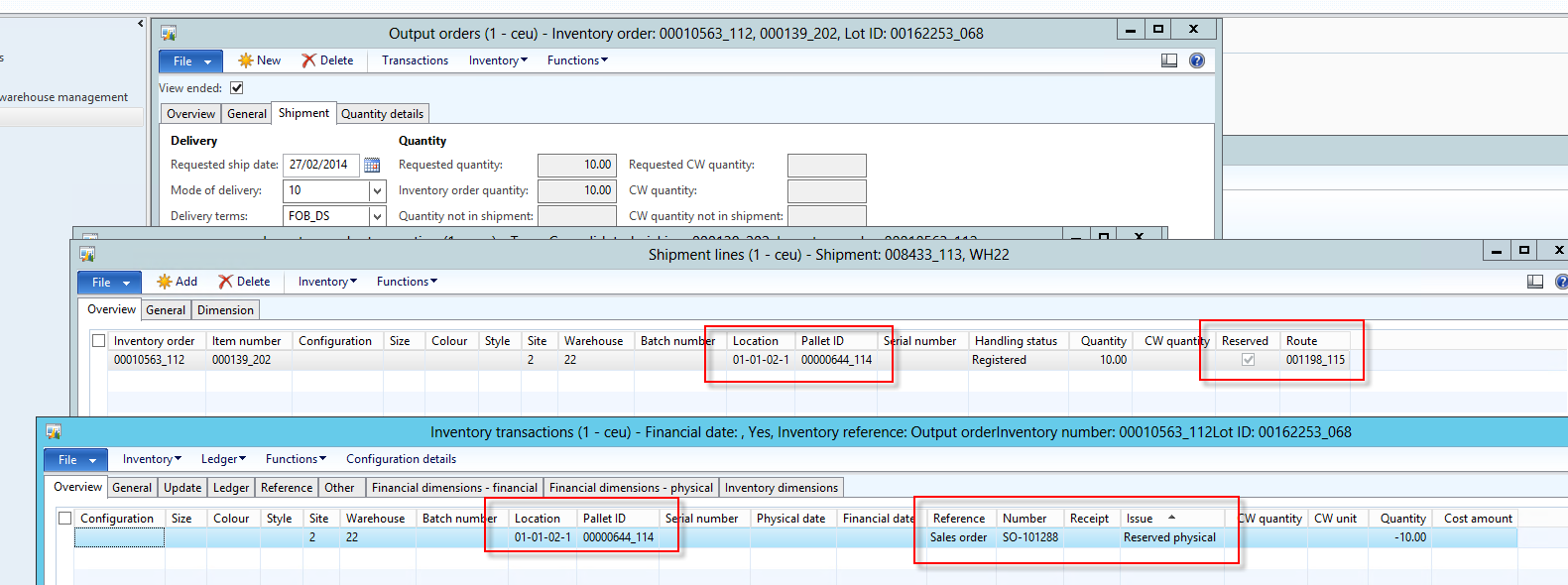
Now let\’s run the shipment reservation, at this point system checks the availability of goods at bulk location and as they are available system creates a output transport from bulk location to the outbound dock. Also interesting to see the inventory transactions at this point
We can look at the pallet transport from shipment inquiry >> Pallet transport option.
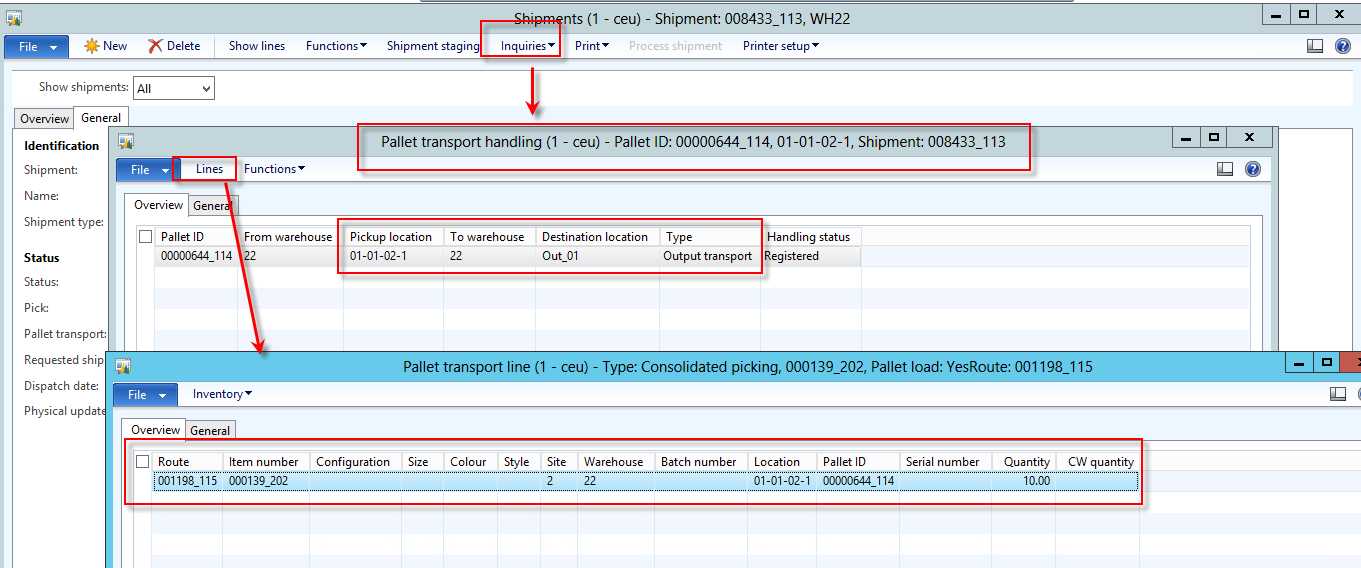
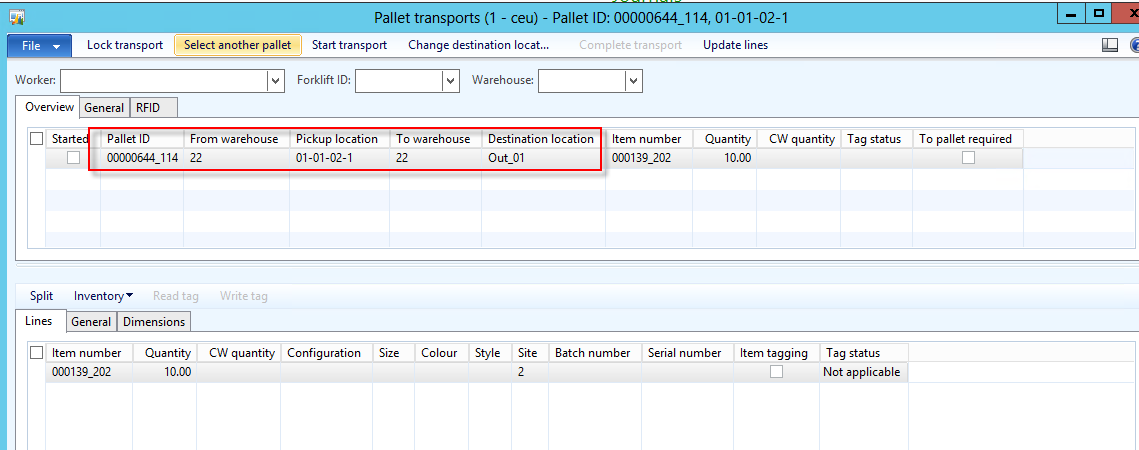
Now we can activate the transport and then we can view it on the pallet transports form
Let\’s complete the pallet transport and then see the inventory transactions of the shipment lines. You will notice that the status is updated to \”Picked\”
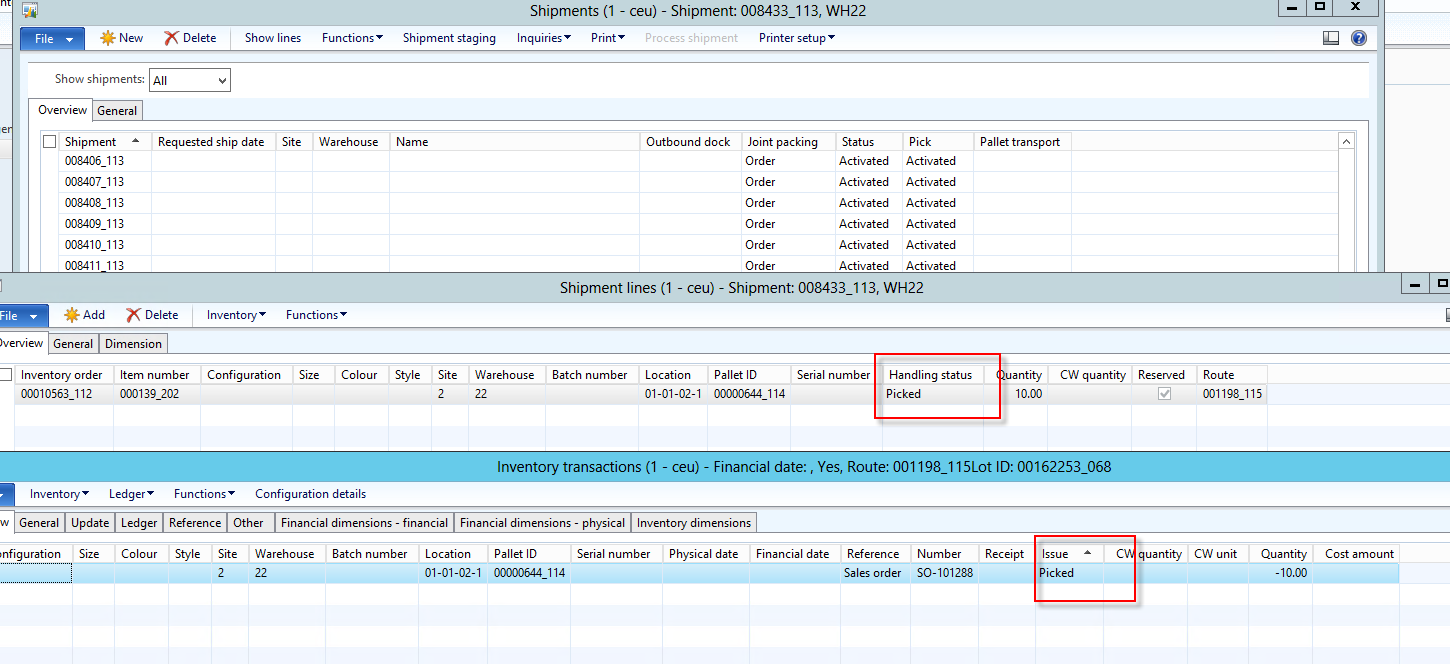
Also interesting to note that system did not created any picking list or picking route in this case as this task has been accomplished by the pallet transport itself.
Technically the magic happens in WMSReservationEngine class which initialize the object of WmsReservation class based on the Reservation method, see below in this case the class created is WMSRreserve_Output
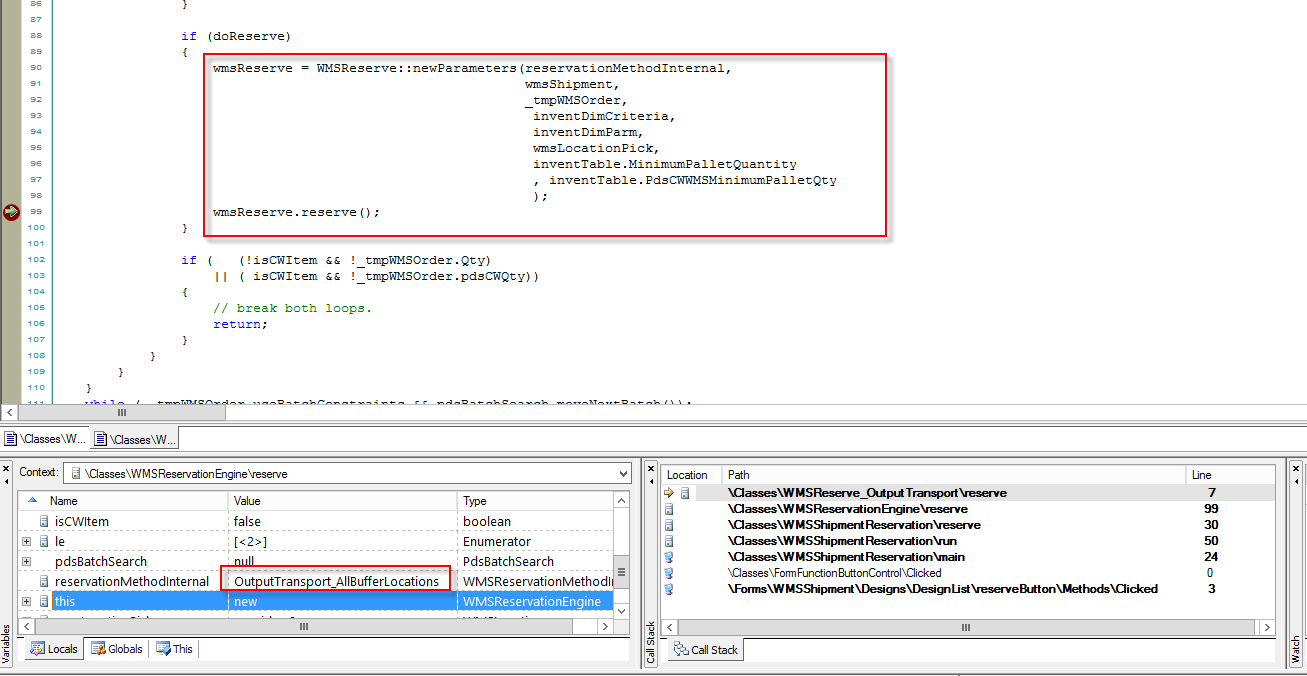
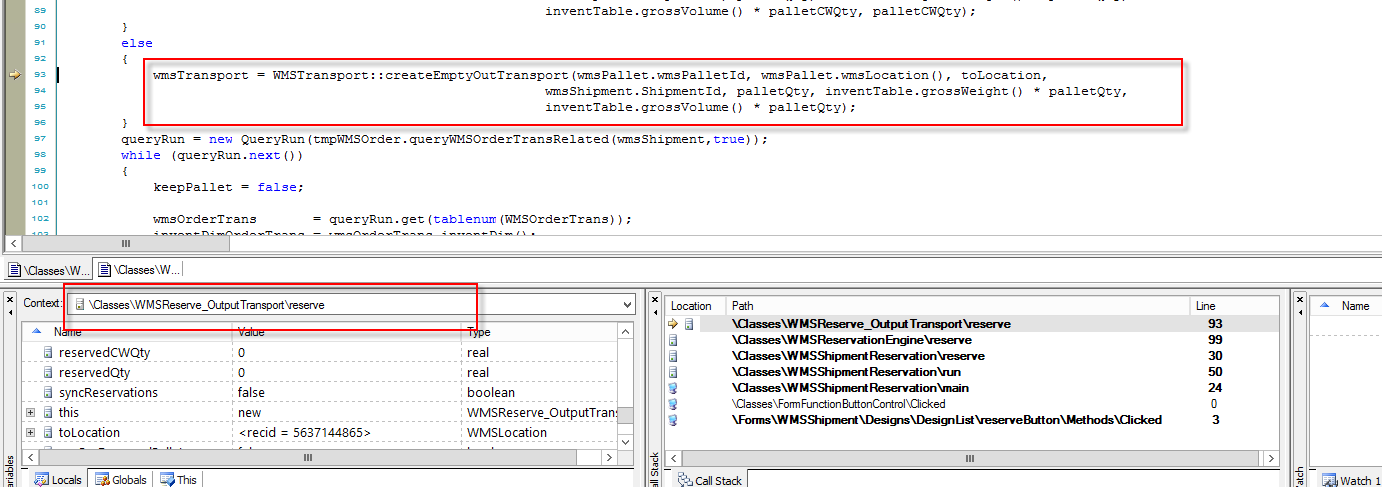
There is lot more to explore and find the hidden jewels of AX in these classes.The method to trigger the creation of output pallet transport is called in reserve() as shown below:
So we saw in this post how we can configure shipment reservation combination to create outbound pallet transports.
Thanks for reading the blog, keep sharing.

 Brewing thought
Leave a comment