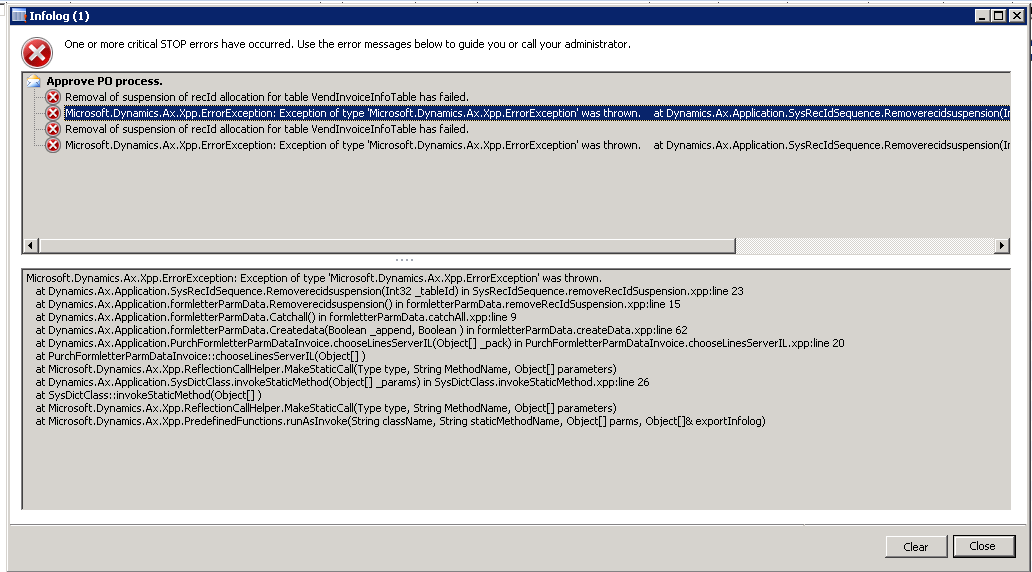
AX2012 : Removal of suspension of recId allocation for table VendInvoiceInfoTable has failed.

Written in

by

Hi Friends,
Recently working on one environment on AX2012 FP CU4 I got the below error on posting purchase order invoice and the following steps helped to fix the error:
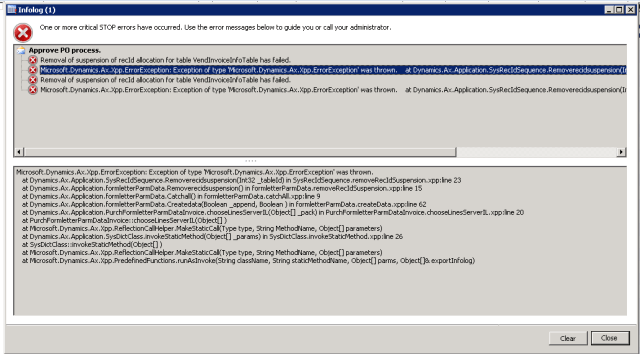
  1. Generate Full CIL
  2. Stop AOS
  3. Delete *.auc files
  4. Start AOS

Before running full CIL, I also tried with generating incremental IL, but that did not helped.
This might not be a sure shot solution but it worked for me.

Keep sharing!!!

Tags

Categories

5 responses to “AX2012 : Removal of suspension of recId allocation for table VendInvoiceInfoTable has failed.”

  1. Anonymous Avatar
    Anonymous

    Please check your Client Options. If you enabled under development \”Then Beakpoint\” you get this error. Switch to \”No\” and test it.

    Like

  2. Sergio Sepúlveda Montealegre Avatar

    I have the same problem when I run PurchFormLetter.chooseLines(). Please I'll appreciate an answer.

    Like

  3. husna yusuf nawawi Avatar

    Hi Rachit,Where s location the *.auc file exist?i have a same error with you. but this error appeared when we will do Product received the PO.Thank you.Regards,Husna

    Like

  4. Anonymous Avatar
    Anonymous

    I would like to add how I fixed our issue. Again this worked for me not sure if anyone elseWhen I got the issue, the problem was Can't remove pending? InvoiceOnce you clicked on the Invoice button you ended up with that exact infolog messageThat is oh I ended up here. The recommended fix I could only do one, CILSame results. Then I went in the table VendInvoiceInfoTableFiltered for the PO, then looked for Pending, replaced it with New. ViolaI can open the Invoice form. Took me 2.5 days. I did solve it earlier but didn't know which one of my attempts worked

    Like

  5. Anonymous Avatar
    Anonymous

    thank you so much for your info, it helps me to resolve in 2.5mins!

    Like

Leave a comment

Wait, does the nav block sit on the footer for this theme? That's bold.

Brewing thought

Explore world of Microsoft Dynamics 365

Explore the style variations available. Go to Styles > Browse styles.